Council Tax text and email messaging service
How we will contact you
If you miss a Council Tax payment, we will contact you by text message or email.
We have included examples below so you can check that the messages are genuine. If you have any questions or concerns, use our online contact us form.
You can check your Council Tax details by logging in or registering to view your account.
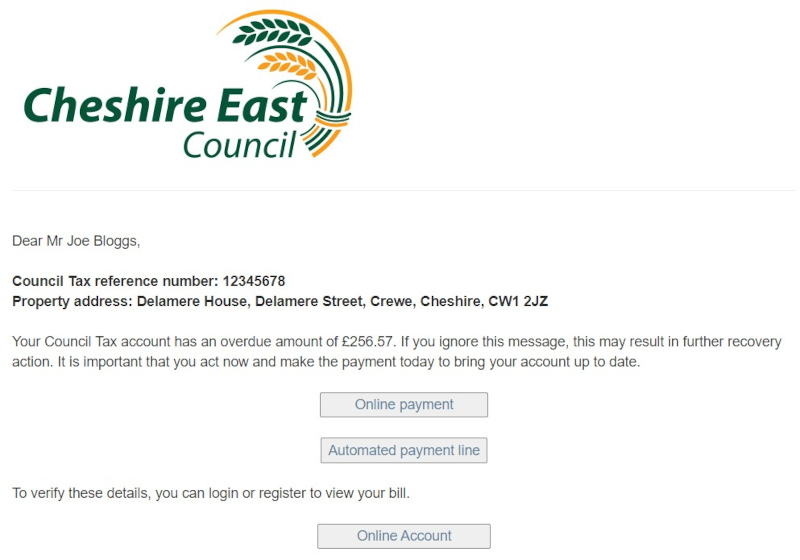
Text message
Our text message will appear as from ‘CECouncil’, include your full name, and contain a hyperlink directing you to a verification page.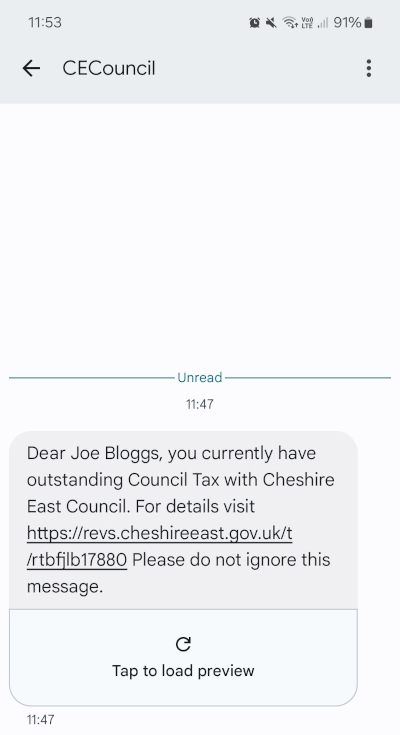
The hyperlink will start with https://revs.cheshireeast.gov.uk/ and be followed by a personalised reference. When clicked, it will take you to a verification page in which you will need to confirm your postcode.
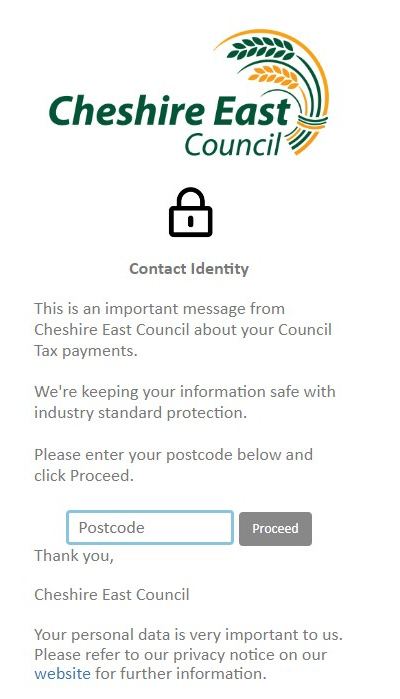
After completing the verification page, you will be directed to a new page that details your outstanding Council Tax amount and provides instructions on how to make a payment.
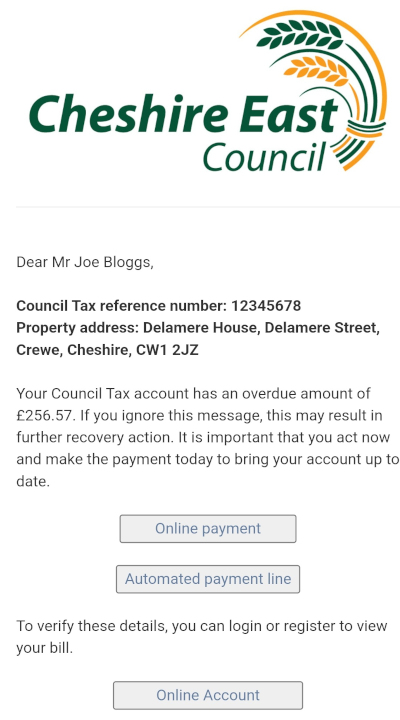
Email message
The email from us will appear as from Cheshire East Council (email@revs.cheshireeast.gov.uk). It will include your full name, and contain a hyperlink that directs you to a verification page.
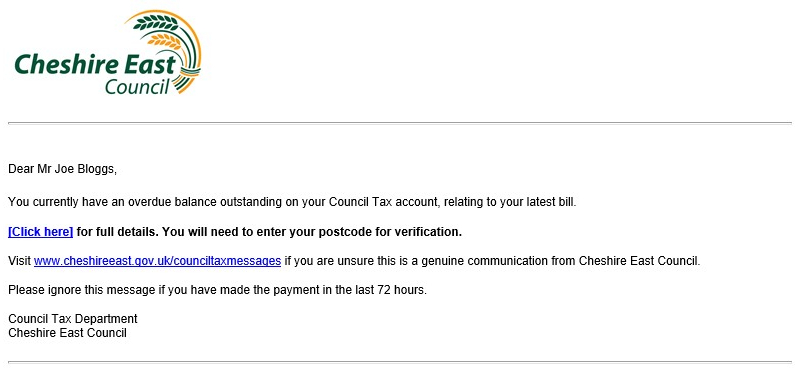
After completing the verification page above, you will be directed to a new page that details your outstanding Council Tax amount and provides instructions on how to make a payment.
Text messages and emails from PaymentPlan
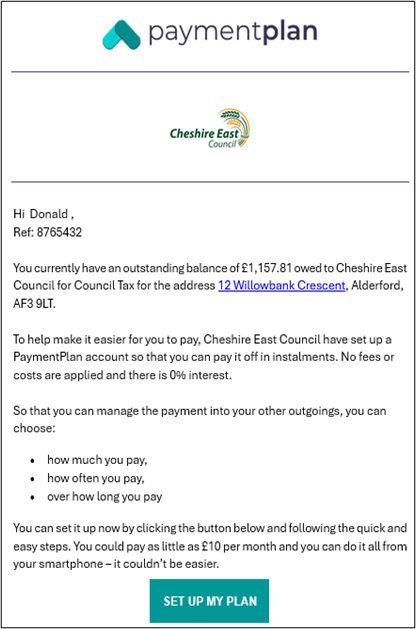
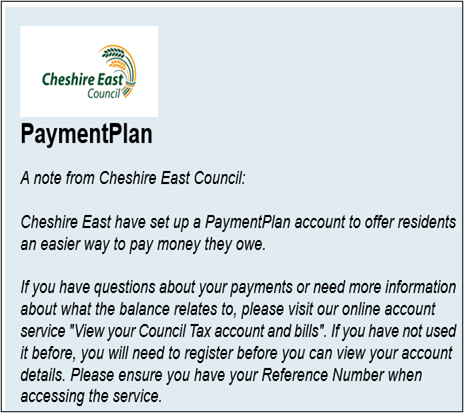
PaymentPlan are a legitimate partner of Cheshire East Council collecting Council Tax arrears on our behalf. PaymentPlan do not charge fees and allow you to create flexible payment terms so you can manage your payments in line with your other financial outgoings. Read more about PaymentPlan.
PaymentPlan may email you or send a text message. An example of PaymentPlan’s initial contact messages can be seen below:
Example PaymentPlan email
Example PaymentPlan text message
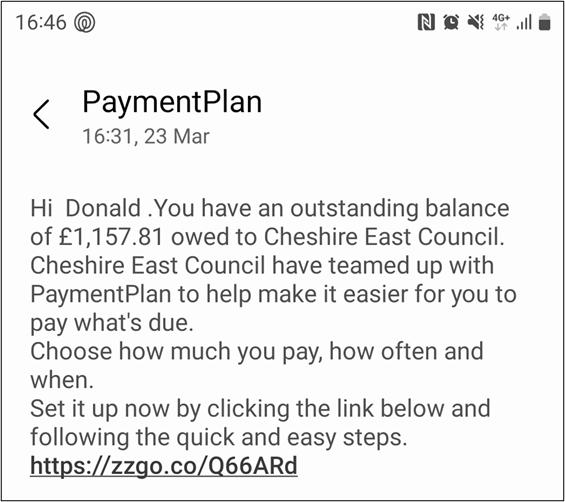
If you receive an email or text message from PaymentPlan, follow the instructions to create your PaymentPlan account.
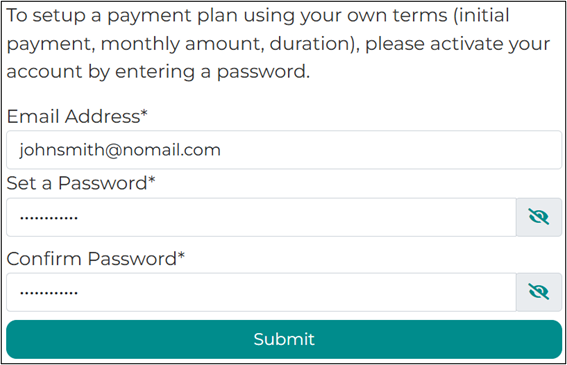
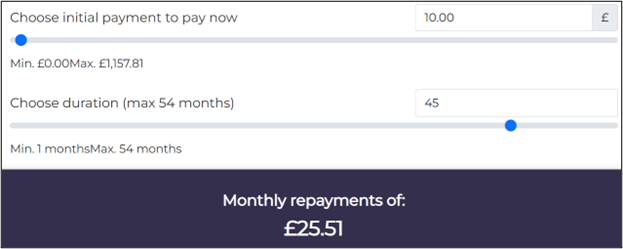
Use the slider to select a monthly amount you can afford to pay.
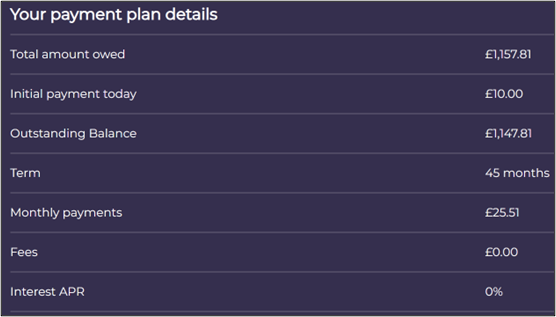
You will be able to view a summary of your plan along with confirmation that no fees will be added before you commit to making payment.
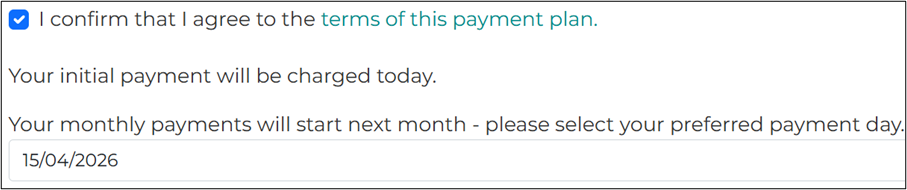
Once you confirm you are happy with your plan, you will be asked to select a convenient monthly payment date.
You will then need to provide payment card details for PaymentPlan to collect your payment each month.

Your paymentplan will become active once you select ‘Set up my Plan’.

Council Tax enquiry form
If you're unable to use our forms or have any questions about your bill you can call the Council Tax Customer Service Team on 0300 123 5013 between 8:30am to 4pm, Monday to Friday, excluding bank holidays.
Page last reviewed: 10 April 2026
Thank you for your feedback.